
Phone numbers
A phone number bought from AudioCodes is what callers dial to reach your bot. It is the quickest voice channel to set up, because it involves no trunk, PBX, or contact center of your own.
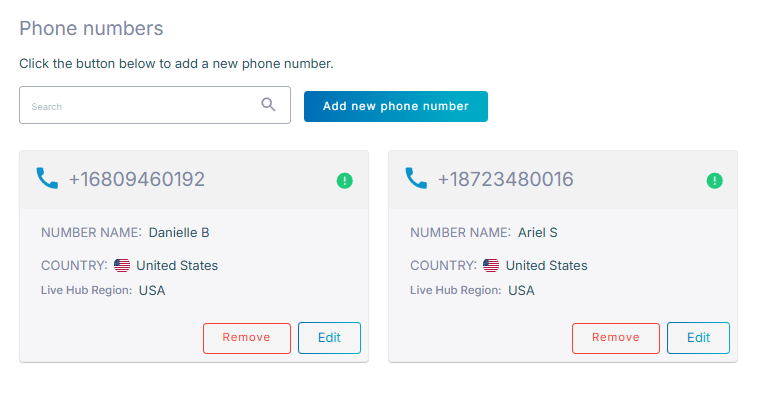
On the Phone numbers screen, each phone number is a card. A phone number that a routing rule uses has a gray card with a green check mark, and one that is not assigned to anything has a pink card with a red mark.
Phone number charges
Every phone number is charged monthly, whether or not it is assigned to anything. The fee depends on the country, and Live Hub shows it before you commit to the purchase. See Live Hub pricing.
Live Hub charges for phone numbers on the first day of each month. If you buy mid-month, the next charge covers both the days you have already used and the month ahead: buy on April 15, and on May 1 you are charged for 16 days of April plus all 31 days of May.
Deleting a phone number mid-month does not refund the remainder of that month.
Buy a phone number
You buy a phone number from the Phone numbers screen, where Live Hub shows the monthly fee for the country you select before you confirm the purchase.
To buy a phone number:
-
In the Navigation pane, expand Voice channels, and select Phone numbers.
-
Click Add new phone number.
-
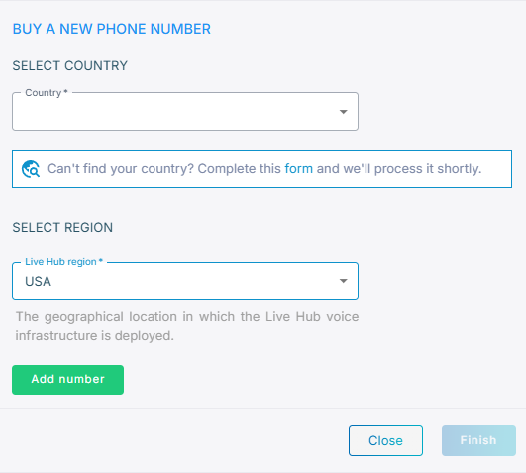
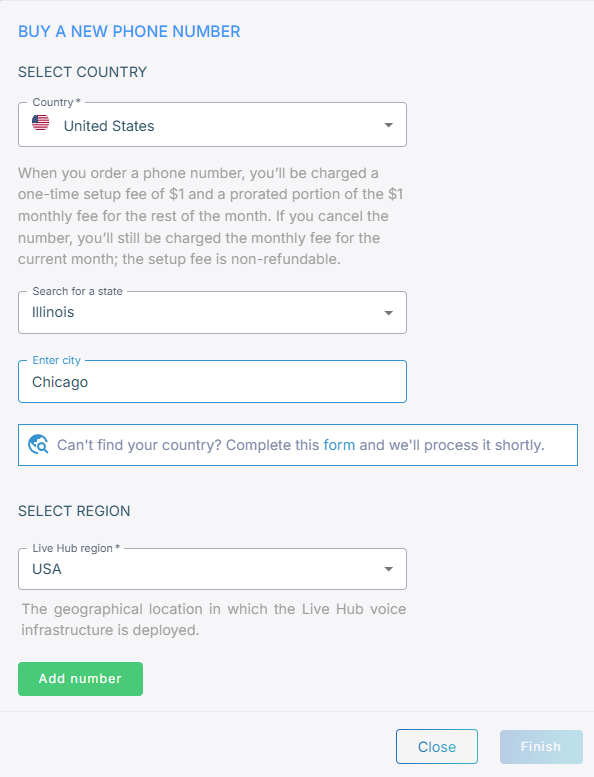
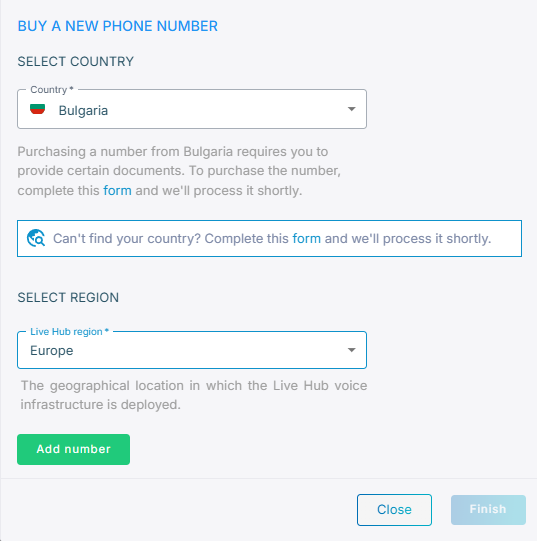
From the 'Select country' drop-down list, select where the phone number is used.
The monthly fee for that country appears. See Supported country telephone numbers for the countries Live Hub sells phone numbers in.
If your country is not listed, click Can't find your country? to open the AudioCodes chatbot and ask.
Phone numbers in some countries cannot place outbound calls. You can still buy one, and Live Hub tells you when that is the case. Contact AudioCodes support if you need outbound calling there.

-
For the United States only, narrow the search: from the 'Search for a state' drop-down list, select a state, and then in the 'Enter city' field, enter a city.
-
From the 'Live Hub region' drop-down list, select the region your Live Hub voice infrastructure runs in. See Global region support.
-
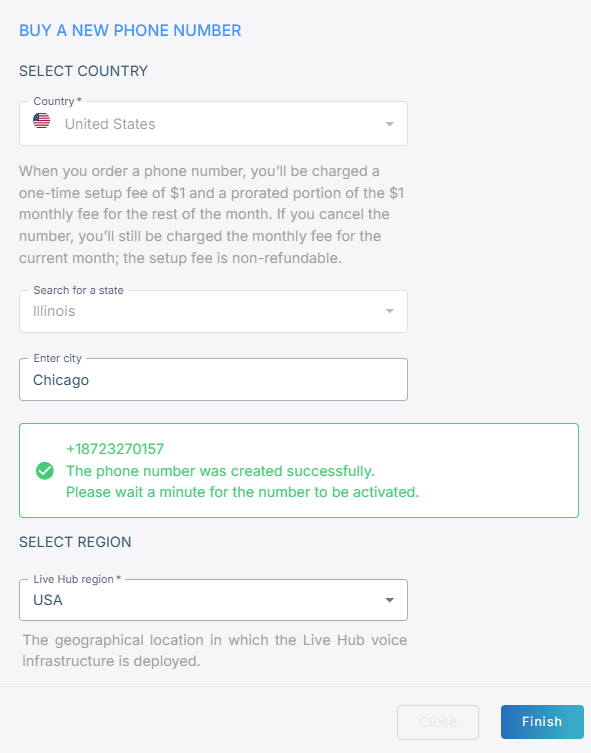
Click Add number.
-
If Live Hub asks for documentation, which some countries require, click form to contact AudioCodes support and find out what is required.
-
Click Finish.
Assign a phone number to a bot
A new phone number arrives unassigned. A routing rule, not the phone number itself, is what connects it to a bot.
- A phone number can serve only one bot. To move it, unassign it from the first bot before assigning it to the second.
- A bot or SIP connection can hold up to five phone numbers, so one bot can answer callers in several countries.
Edit a phone number
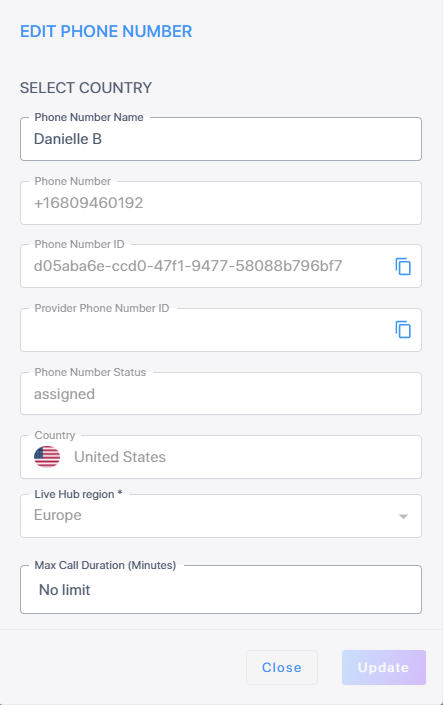
You can change only a phone number's name and its maximum call duration. The rest of the
card is read-only: the phone number itself, its Phone Number ID, the Provider Phone
Number ID that the phone number provider allocated, its assigned or unassigned status,
its country, and its Live Hub region. You can copy either ID with the copy icon
 .
.
To edit a phone number:
-
In the Navigation pane, expand Voice channels, and select Phone numbers.
-
On the phone number's card, click Edit.
-
Change the 'Phone number name' or the 'Max call duration (minutes)', and then click Update.
The account's maximum call duration takes precedence. With 30 minutes set on the account and 40 on the phone number, calls end at 30. See Configure maximum call duration.
Delete a phone number
Deleting a phone number removes it from its bot and from Live Hub altogether.
To delete a phone number:
-
In the Navigation pane, expand Voice channels, and select Phone numbers.
-
On the phone number's card, click Remove, and then confirm with Delete.